

-
Stone Fabrication Tools
-
Board



-
Excel Grinding Cup Wheels


- Double Row Grinding Cups
- Epoxy Cups
- Smooth Edge Cup Wheels
- Excel Grinding Cup Wheels
- Smooth Grinding Cup Wheels / Double Row
- Swirly Cup Wheels
- Tornado Cup Wheels / 9 Segments
- 3" Turbo Grinding Wheels / Hard Bond / Black
- 4" Turbo Grinding Wheels / Hard Bond / Black
- Lightning Seg Cups
- J Grinding Wheels
- Dia-Abrasive Cup Wheels
- Dia-Hard Cup Wheels
- Dia-Stone Cup Wheels
- Power Vacuum-Brazed Cup Wheels
- Light Vacuum Cup Wheels
- Pin Wheel Cups
- Cyclone Metal Dot Cup Wheels
Excel Grinding Cup Wheels
Dry / Lightweight open-body design / For concrete surface grinding
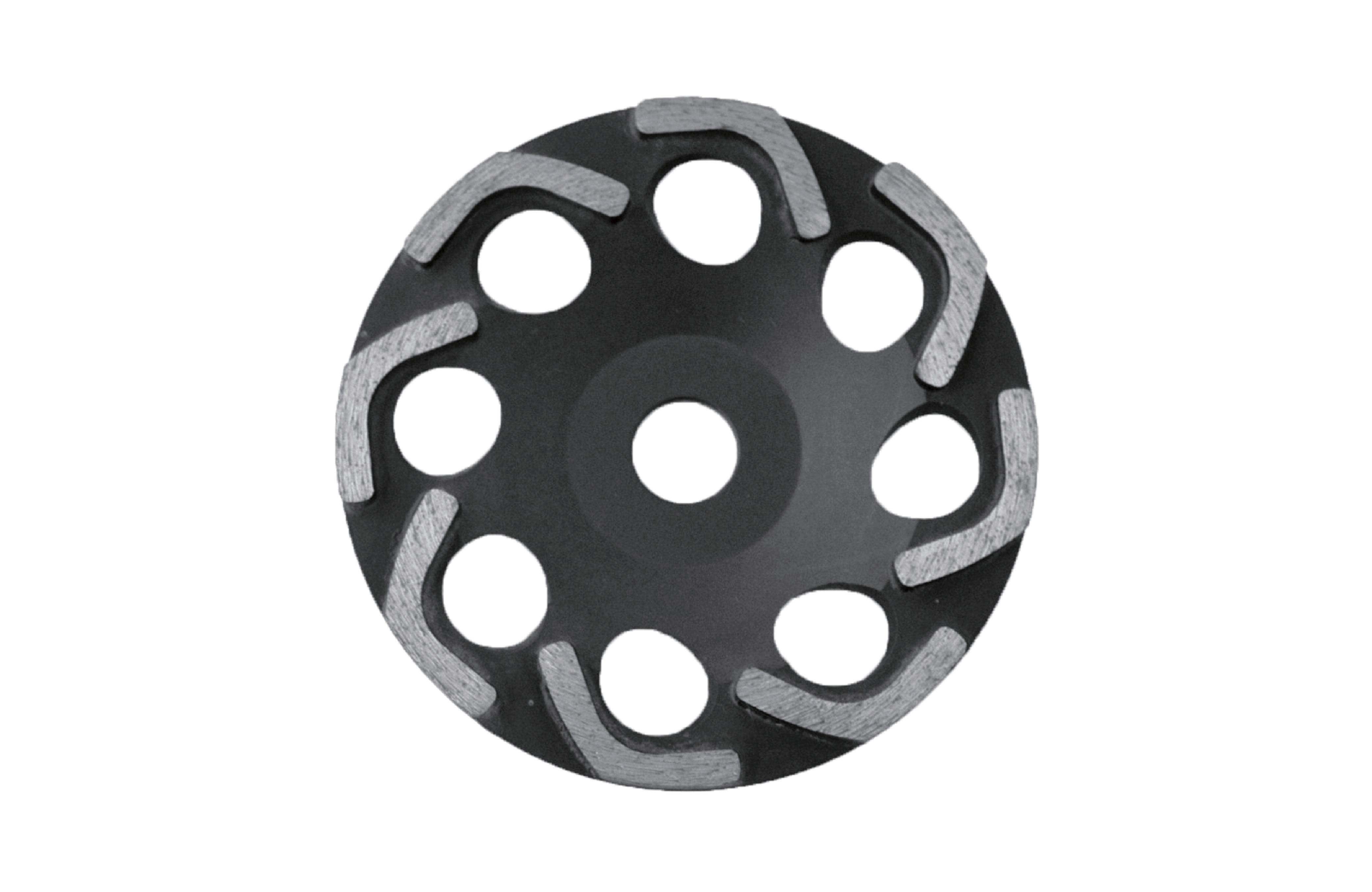 Professional Excel Grinding Cup Wheel for Concrete Grinding
Concrete surface grinding requires a cup wheel that can maintain efficient material removal while helping reduce unnecessary tool weight during handheld operation.
DIATOP Excel Grinding Cup Wheel features an open-body design with multiple large ventilation holes and segmented diamond grinding edges.
The range is available in 5 inch, 6 inch, and 7 inch diameters with a 22.23 mm Hilti arbor.
Type of Equipment: HG (Handheld Grinder)
Key Features
-
Designed for concrete surface grinding.
-
Open-body cup wheel design.
-
Large ventilation holes.
-
Segmented diamond grinding rim.
-
Available in 5 inch, 6 inch, and 7 inch diameters.
-
22.23 mm Hilti arbor.
Available Sizes
Item – Diameter inch / Diameter mm
-
EGC 125 – 5 inch / 125 mm
-
EGC 150 – 6 inch / 150 mm
-
EGC 175 – 7 inch / 175 mm
* Arbor: 22.23 mm / Hilti
Technical Notes
-
Product Type: Excel Grinding Cup Wheel
-
Equipment: HG (Handheld Grinder)
-
Diameter Options: 5 inch / 125 mm, 6 inch / 150 mm, 7 inch / 175 mm
-
Arbor: 22.23 mm
-
Machine Reference: Hilti
-
Construction: Open-body segmented grinding cup
Typical Applications
concrete grinding, concrete surface preparation, dry floor edge grinding, handheld concrete grinding, surface leveling, concrete smoothing, industrial surface preparation
Q1. What sizes are available for the Excel Grinding Cup Wheel?
A. The catalog lists 5 inch (125 mm), 6 inch (150 mm), and 7 inch (175 mm) diameters.
Q2. What arbor specification is available?
A. The catalog specifies a 22.23 mm Hilti arbor.
Q3. What type of design does the Excel Grinding Cup Wheel use?
A. The product image shows an open-body cup wheel with multiple large holes and segmented diamond grinding edges.
For Excel Grinding Cup Wheel selection, size compatibility, arbor selection, and troubleshooting guidance, please visit the DIATOP Tech Notes section.
